Xiaomi Mi 5 review: It’s hard to argue with $305 for a Snapdragon 820
by Ron Amadeo
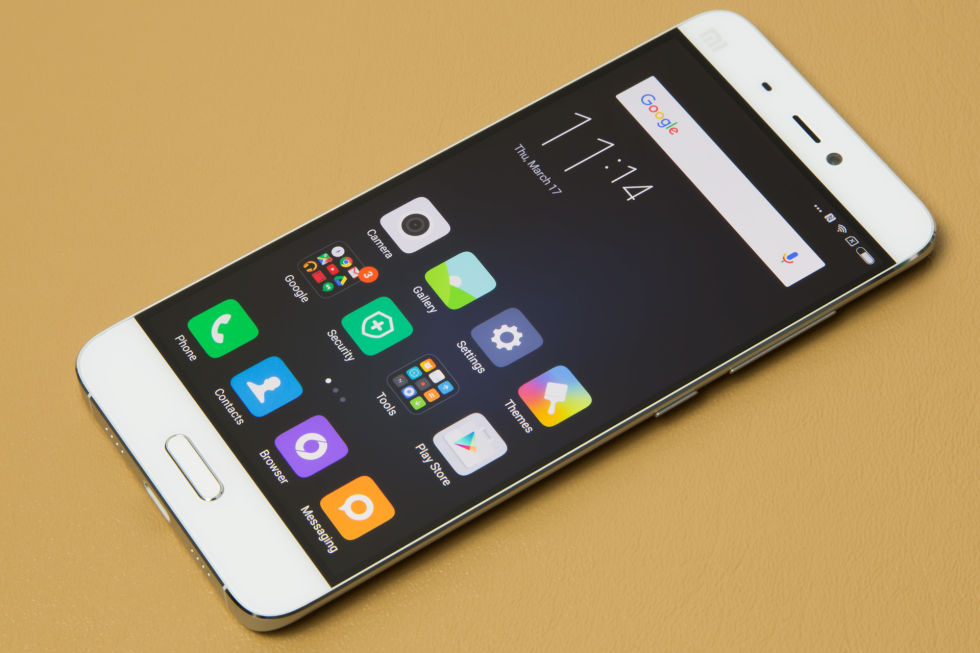
The Xiaomi Mi 5.
The Xiaomi Mi 5.
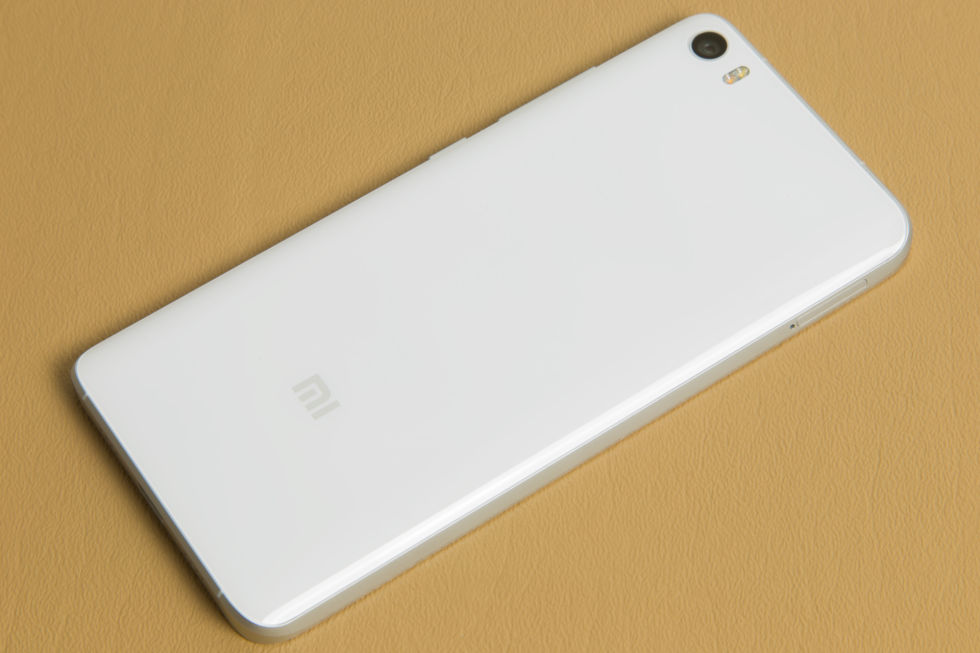
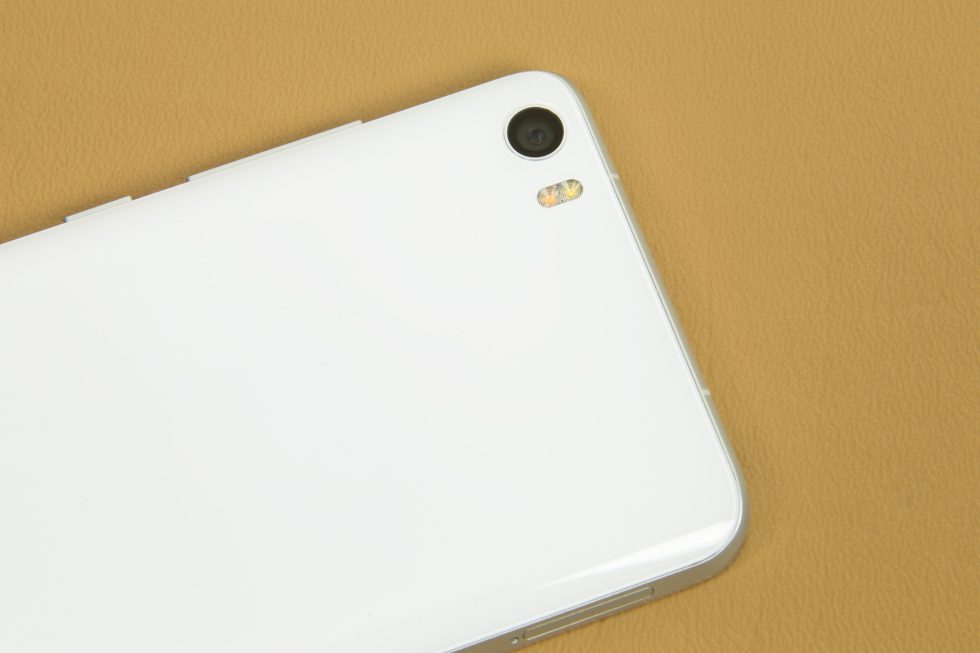
Not much happening on the back. It's white and glass.
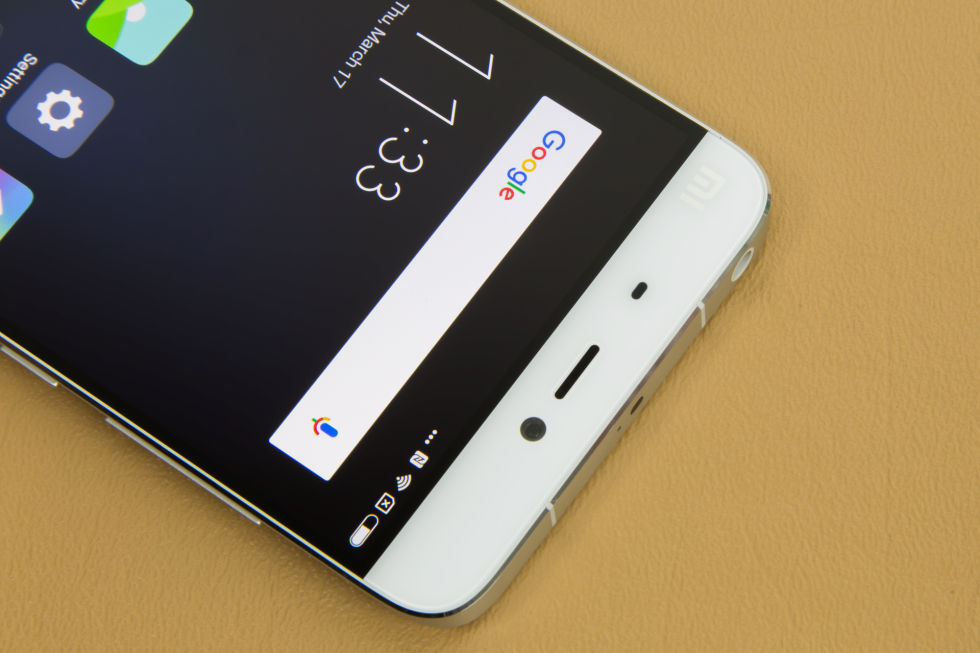
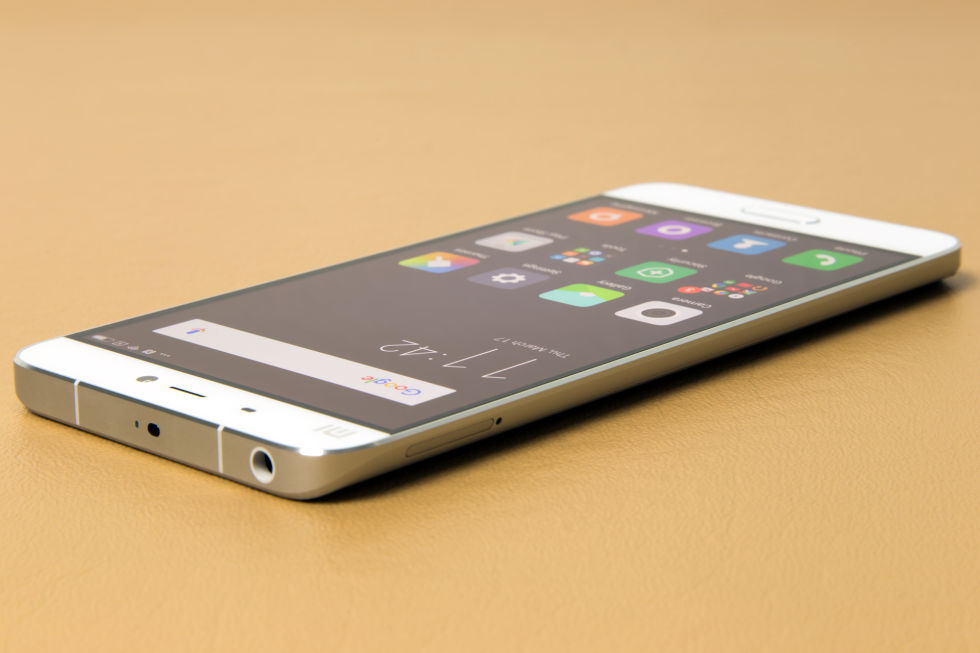
The top of the device has the usual speaker, sensor cluster, and front facing camera.
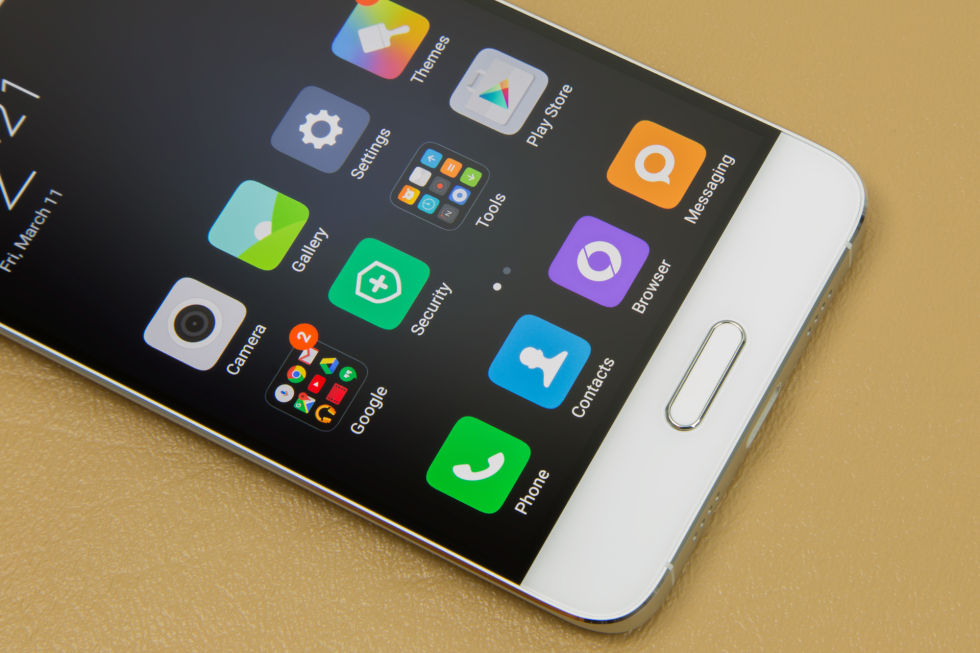
The bottom has a Samsung-style home button/fingerprint
reader. While you can't see them, there are two capacitive buttons to
the left and right.
The camera and the flash are alone on the back.
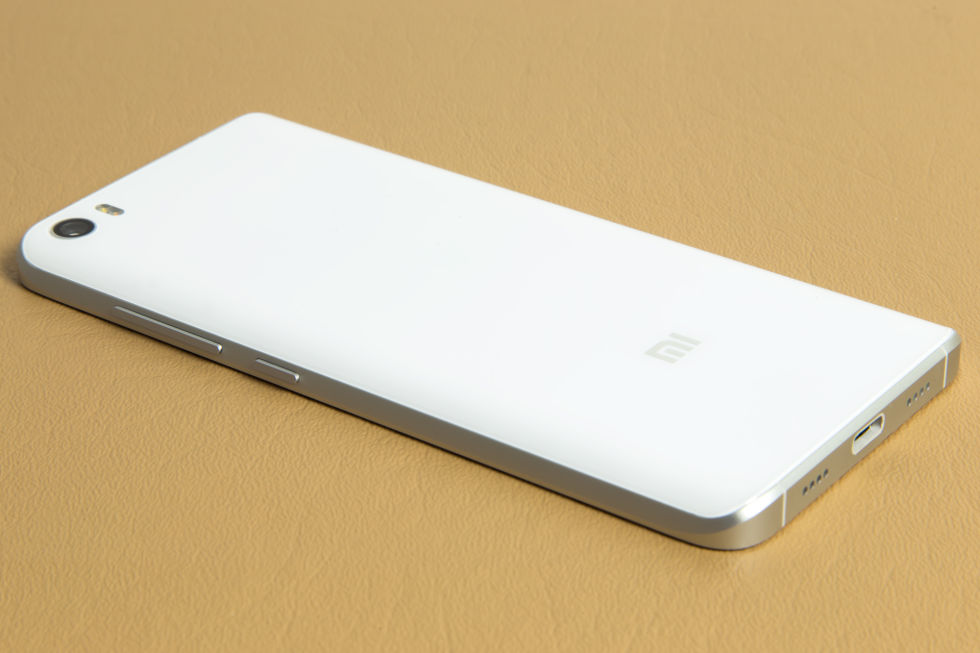
The left and right sides of the back curve in for a more pleasant grip.
That's USB Type-C on the bottom...
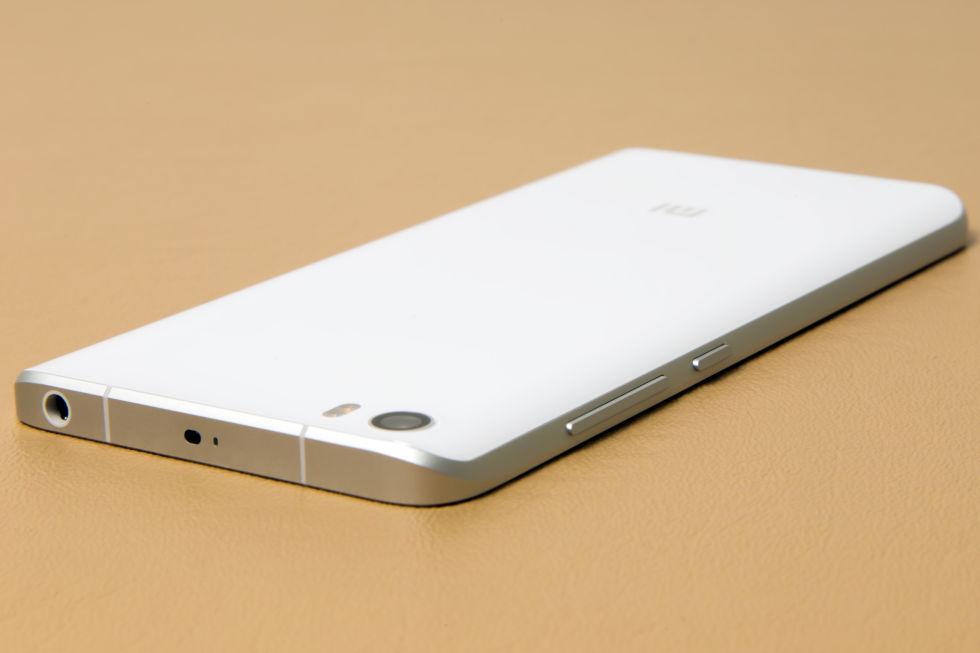
...and an IR blaster on the top.
Here you can really see the curve from the sides.
While Samsung and its Galaxy S7
mostly competes with high-end devices like the iPhone, Xiaomi makes its
money attacking the mid- and low-end of the market. The company is all
about bang-for-your-buck, often delivering very good specs at low
prices. How low? Like most flagships, the Xiaomi Mi 5 sports the new
Snapdragon 820 processor and a USB Type-C port, all for the distinctly
not-flagship price of RMB 1999 (~$305). You could buy two of these for
the price of a Galaxy S7 or LG G5. The catch is that the Mi 5 is
currently only available in China.
But the Mi 5 might be the phone that Xiaomi uses to finally
break into the Western market. Despite its name, Mobile World Congress
generally focuses on phones for Europe and the US, and Xiaomi's
first-ever appearance may be a sign of things to come. Xiaomi is also
sending review units to a few US press outlets—we didn't import this
one. The company opened online stores for products like its earbuds and headsets in the US, UK, France, and Germany, but the stores don't sell smartphones yet.
Design and build quality
SPECS AT A GLANCE: Xiaomi Mi 5
SCREEN
1920×1080 5.1" (428ppi) LCD
OS
Android 6.0 Marshmallow with MIUI 7
CPU
Quad-core Qualcomm Snapdragon 820
Standard: (two 1.8GHz Kryo cores and two 1.6 GHz Kyro cores)
Pro: (two 2.15GHz Kryo cores and two 1.6 GHz Kyro cores)
16MP rear camera with phase detection autofocus and OIS, 4MP front camera
SIZE
144.6 x 69.2 x 7.3 mm (5.69 x 2.72 x 0.29 in)
WEIGHT
129g (4.55 oz.)
BATTERY
3000mAh
STARTING PRICE
Standard: RMB 1999 (~$305) unlocked
Plus: RMB 2299 (~$353) unlocked
Pro: RMB 2699 (~$415) unlocked
China only
OTHER PERKS
quick charging, IR blaster, notification LED
The Mi 5 is very much a "budget flagship" phone: it feels
and performs like a high-end device, but Xiaomi saves money by trimming
features where most customers won't notice. The Mi 5's Snapdragon 820
only runs at 1.8GHz instead of the 2.15GHz you'd get on a Galaxy S7. The
Mi 5 skips the crazy smartphone display resolution wars by going with a
sensible 5.1-inch 1080p screen. The 428 PPI will lose a spec sheet
battle with a 577PPI Galaxy S7, but when you consider an iPhone 6S only
has a 326 PPI screen, 428 PPI is just fine. You get "only" 3GB of RAM, a
full 1GB less than you'd get on the S7, but that's still plenty.
There's no out-of-control spec creep, and you even get some important
extras, like a fingerprint reader, NFC, an IR blaster, dual SIM cards,
and the USB Type-C port I mentioned earlier.
But if you really want to fight the spec sheet battle,
there's also a "Pro" version coming soon, which should be more
comparable to something like a Galaxy S7. For just RMB 2699 (~$415), the
Mi 5 Pro will have a 2.15GHz Snapdragon 820, an extra GB of RAM, a
whopping 128GB of storage, and a "ceramic" back. The Galaxy S7 doesn't
come in a 128GB version, and last year the MSRP on a 128GB Galaxy S6 was
$1000.
The Mi 5's design is reminiscent of a Galaxy S6 or S7. The phone is a
glass sandwich with a metal band around the sides, and Xiaomi added a
Samsung-style clicky home button/fingerprint reader to the front with
capacitive touch buttons on either side. The glass back of the device
curves along the long side, just like the Galaxy S7 and the Xiaomi Mi Note. The curved rear edge that has started to show up in these phones is a step forward in comfort.
As usual with Xiaomi flagships, the build quality is every bit as
good as what you'd get on a $700 device. The whole device feels solid.
The only complaint we've heard is from people who (for some reason)
equate weight with quality; they think the Mi 5 is too light. The button
action is great—the power and volume buttons are particularly solid and
clicky, and they stick out of the phone quite a bit thanks to the
curved edge on the back.
The paint job on the white Mi 5 is designed to conceal the
side bezels as much as possible. The top and bottom of the phone is
white, while a black frame surrounds and blends into the LCD, creating
the impression that the screen stretches from edge to edge. It looks
cool and reminds us of those silly "concept renders" of phones with impossibly small bezels.
The front has an oval-shaped hardware home button with an
integrated fingerprint reader. The fingerprint reader is fast and
accurate—just hold your finger on it for a reading, same as an iPhone or
a Nexus.
To the left and right of the home button are two capacitive
buttons that act as "back" and "recent apps". These capacitive buttons
are the weakest element of the hardware design—they're totally
unlabeled. The buttons are invisible if the button backlight is off, and
even when the lights are on, the touch points are only marked with two
little dots—you can see where the button is, but not what it does. The
buttons aren't labeled because you can swap the "back" and "recent"
functionality in the software, a compromise between Samsung's "Recent,
home, back" order and Google's "back, home, recent" order. Any user
interface designer will tell you unlabeled buttons are bad for
usability. We wish Xiaomi had just picked an order and labeled them.
While this is a phenomenal piece of hardware for the money,
the big downside is that Chinese phones meant for China lack a ton of
LTE bands that international phones need. If you bring the Mi 5 to the
US, you'll have a shot of getting 3G and making phone calls, but LTE is
out of the question for most carriers. You might have a chance with
Sprint, but then you won't have the CDMA bands for phone calls.
The software: Android 6.0 internals with an Android 4.4 interface
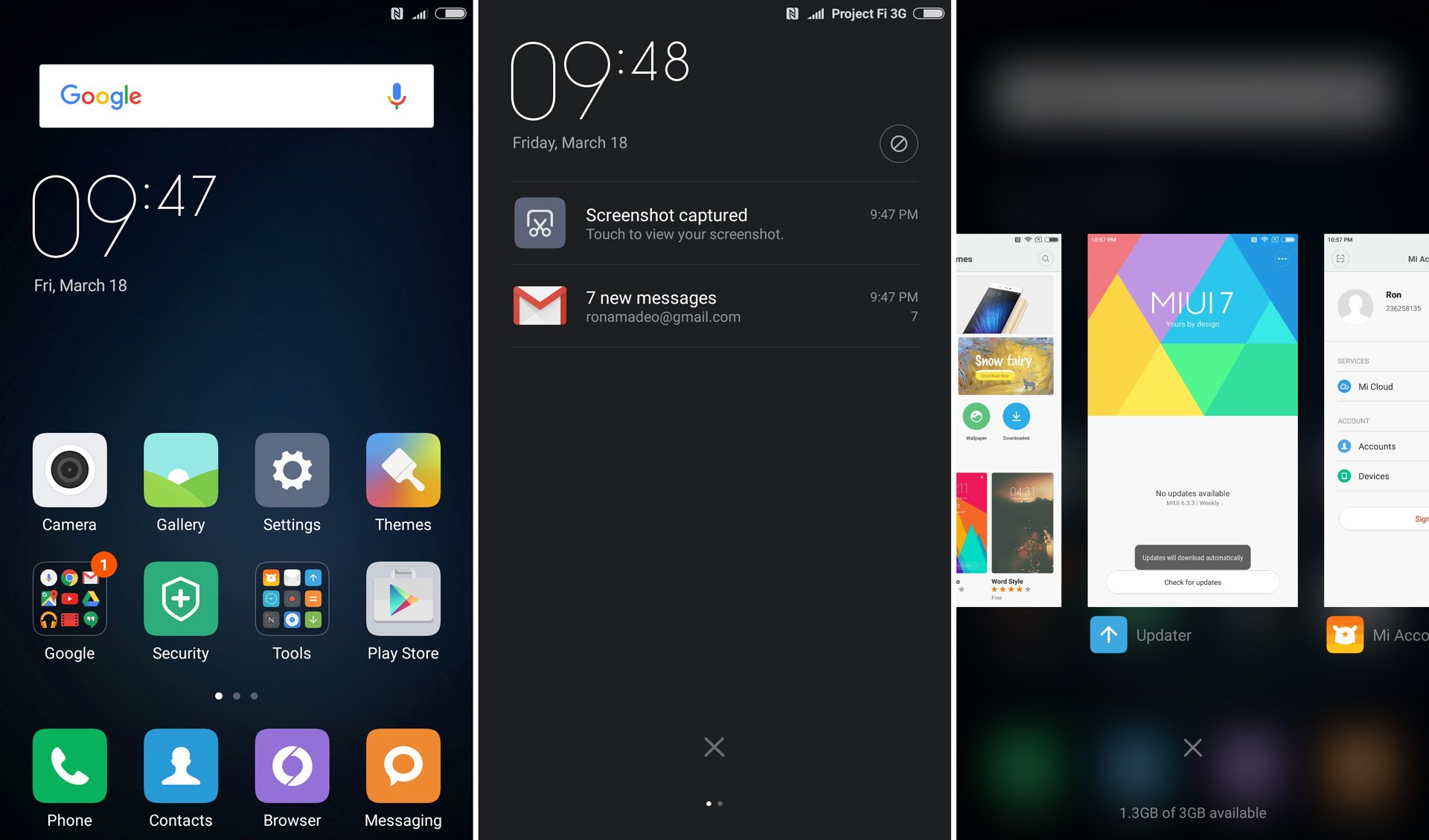
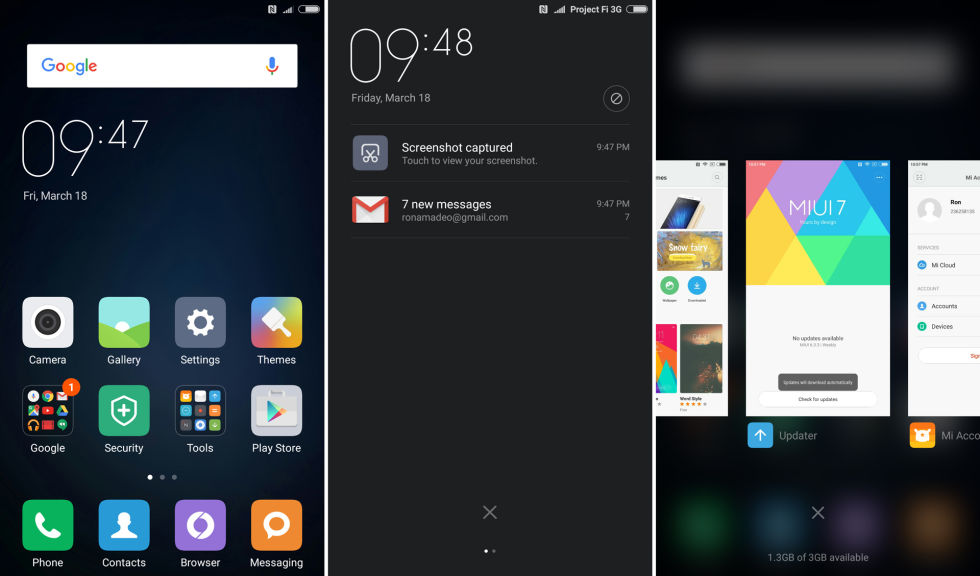
Home screen, notification panel, and recent apps screen.
Home screen, notification panel, and recent apps screen.
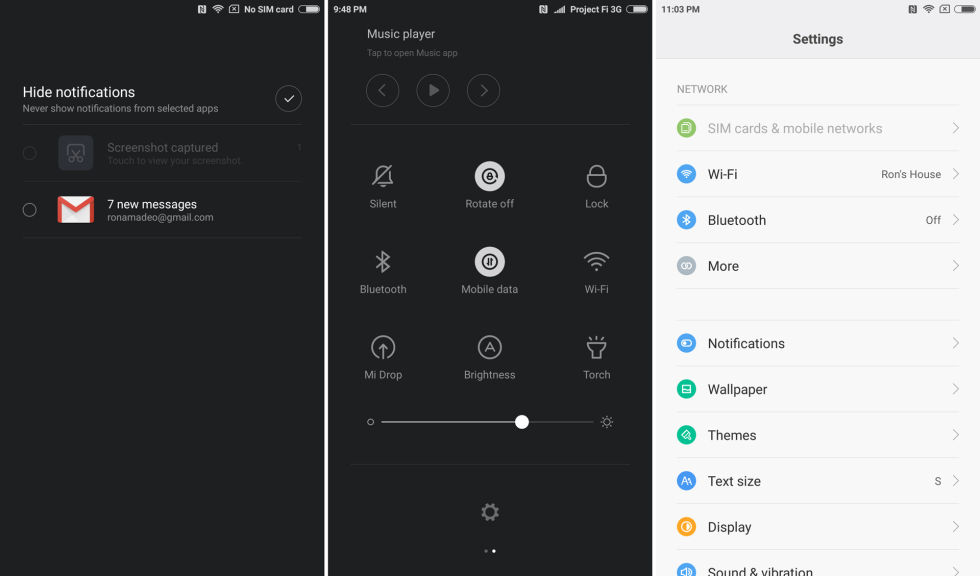
Hiding notifications, the quick settings screen, and the regular settings screen.
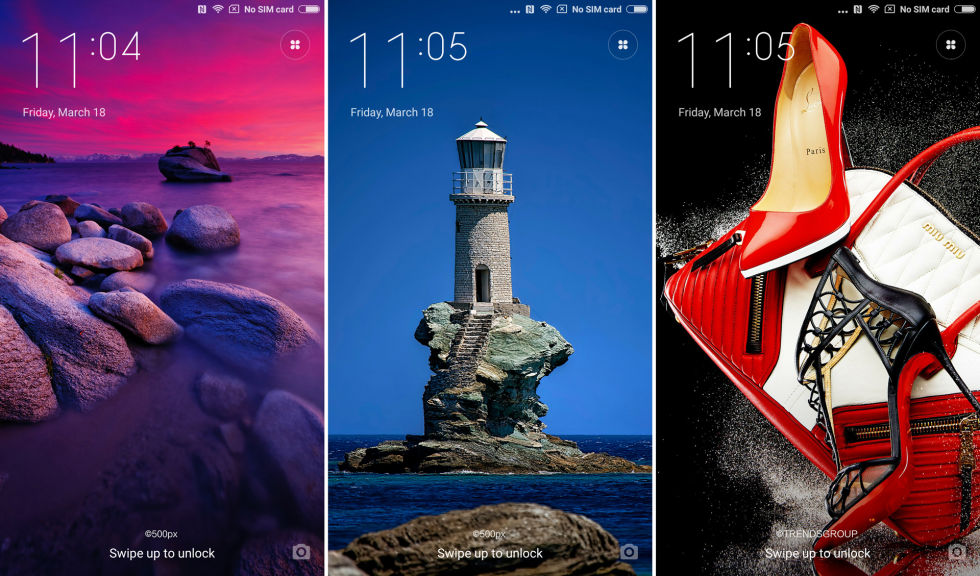
The lock screen changes backgrounds, but there's no notifications.
If you tap on the button in the upper right you can favorite the pictures or change the settings.
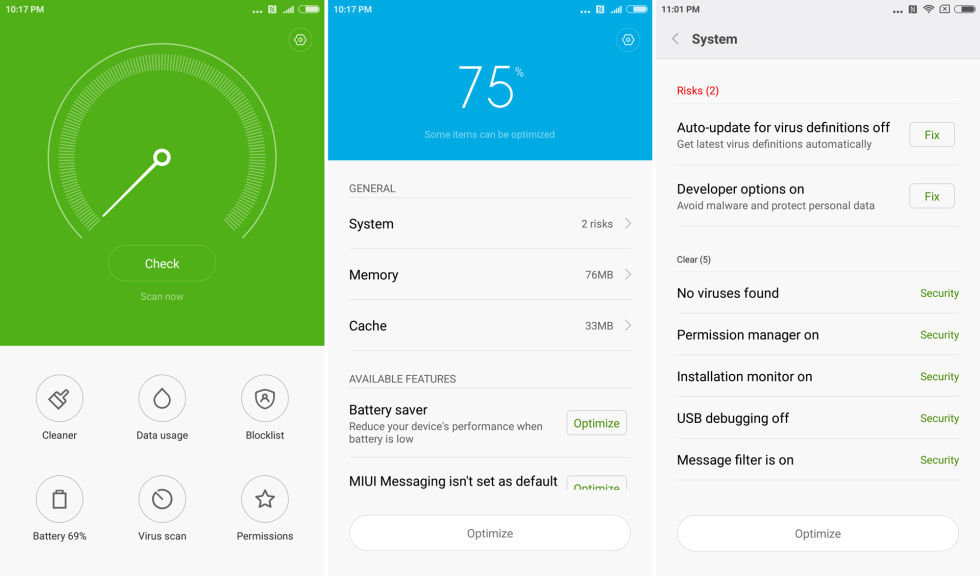
Here's that weird "Security" app. I'm virus free!
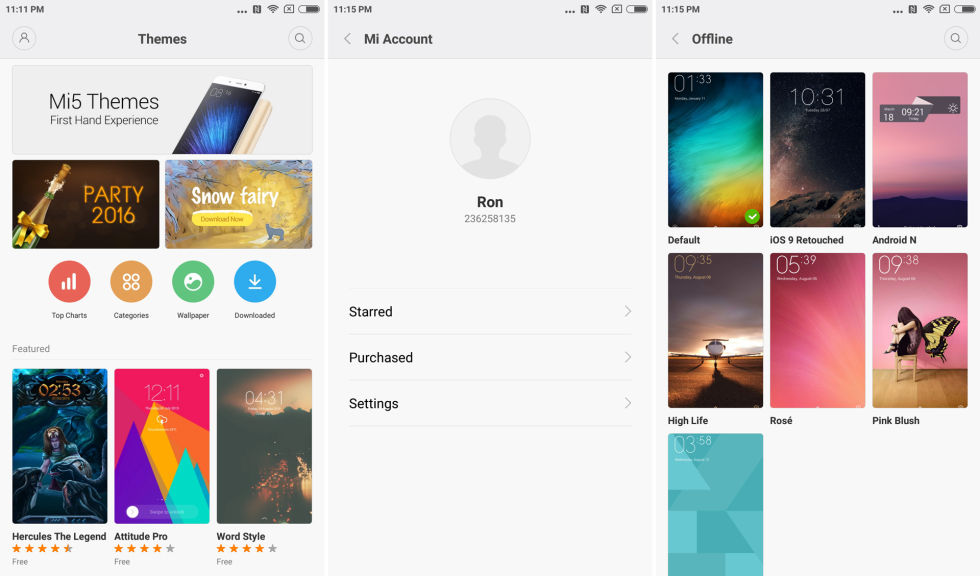
The theme store. There's a section called "Purchased," but you can't actually purchase anything.
Some themes.
Unlike the Xiaomi Redmi 3
we imported earlier this year, our Mi 5 is a loaner from Xiaomi with
the company's international ROM loaded on it. This is pretty much the
"everywhere but China" software package for countries like India and
Singapore. As a result, our Mi 5 arrived with the full loadout of Google
apps, including the Play Store, instead of Xiaomi's app store, which is
only for China.
Some weird stuff still sneaked in, like a "Security" app
with a storage cleaner, phone block list, and virus scanner. The virus
scanner might be a necessity in the free-for-all app market of China,
but Google does a decent (if not perfect) job of keeping malicious apps
out of the US Play Store. Our loaner came with a theme store, but unlike
the theme store in China, Xiaomi doesn't offer paid themes.
Xiaomi needs to do something about its software
When we first looked at a Xiaomi device with the Mi 4,
the company's Android skin, known as MIUI, was different and maybe a
little weird, but it wasn't awful. That was an Android 4.4 phone with an
Android 4.4 interface to match. Since then MIUI has had a "flat"
redesign, and the functionality of the interface has pretty much stood
still for two years. Now MIUI is a liability. Xiaomi seems to want a
unified interface across its lineup, but that means the new, high-end
phones running the latest version of Android have to be dragged down to
match old, low-end phones.
MIUI is actually how Xiaomi got its start. Originally,
Xiaomi was a software house that made its MIUI ROM as aftermarket
software for popular phones. MIUI works a lot like CyanogenMod: you
unlock your bootloader, pick your phone from the website, and flash the
appropriate software package. Eventually the company moved on to making
hardware with MIUI packed in, but it still offers software for many non-Xiaomi phones.
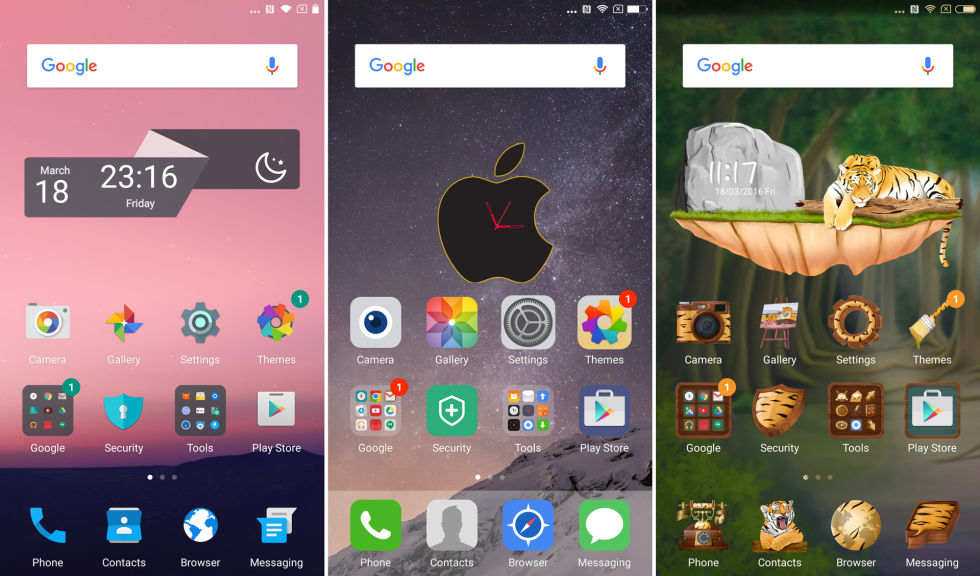
As you can imagine from the drop-in interface, MIUI makes
the most drastic changes of OEM skins. Usually these changes make things
look more like iOS and less Android. There's no app drawer. The icons
all have square backgrounds with little red notification badges in the
upper corner of the icon, just like iOS. The recent apps interface
changed from vertically scrolling to an iOS-style horizontally scrolling
interface, and the settings look just like iOS.
Xiaomi's skin development works a little differently than
most OEMs. You would hope that every time a new Android version comes
out, an OEM rebuilds its skin so it can incorporate the newest features
from Google. For MIUI, however, the interface is independent of the
Android version. MIUI is an interface that gets dropped on top of
Android, wiping out whatever is there and replacing it with whatever
Xiaomi came up with.
The Mi 5 ships with "MIUI 7" running on top of Android 6.0
Marshmallow, but "MIUI 7" works on devices going back to Android 4.4
KitKat. It's a unified interface, so there's a "lowest common
denominator" effect going on. MIUI 7 only really supports Android 4.4
features, because it has to run on Android 4.4 devices. This means
you'll usually get all the under-the-hood features from Android 6.0, but
MIUI 7 removes interface improvements from Android 6.0 and Android 5.0
Lollipop.
So if you compare MIUI 7 versus stock Android 6.0, you'll lose:
It's crazy to see a company throw away mostly "free" features like
this. MIUI is old, dated, and easily the worst part of the Mi 5.
The most important parts of an OEM skin are the notification
panel, lock screen, and recent apps screen, because those are the three
biggest UI elements that can't easily be replaced by users. These are
areas that Google has really worked on in recent versions of Android,
but because you're using a KitKat-derived interface, you lose important
functionality in all of them.
Update: We originally said the Mi 5 didn't
support lock screen notifications—it will display some notifications,
but it works differently than stock Android. On stock Android, the
lockscreen notifications are just an exact copy of the notification
panel. On the Mi 5, if the phone is off and notifications come in, they
will display once on the lock screen, but in subsequent viewings, the
lock screen will be blank. It works as a "while you were away" screen,
but it's not uncommon for the lock screen to be blank while there are a
ton of older notifications in the regular notification panel.
Permission problems
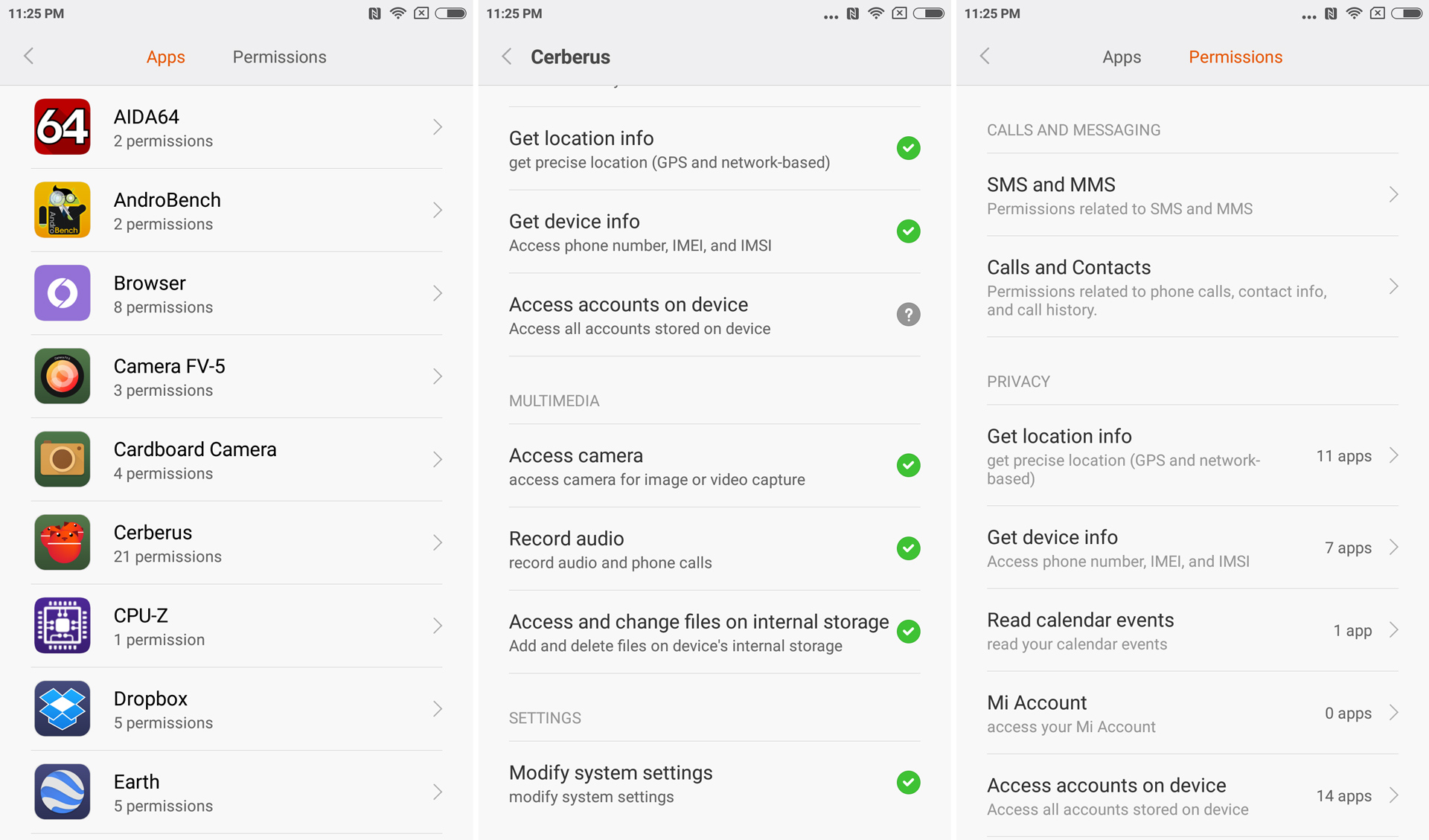
Enlarge/ The permissions settings in MIUI. All of those Cerberus permissions were granted without consent.
A lack of support for Android 6.0's permission system is
probably the Mi 5's strangest omission. MIUI has had a permissions
system for longer than stock Android, but it's not compatible with
Android 6.0's permissions system—the one Play Store and all the "Android
6.0-aware apps" (Apps targeting API 23 and higher) are written for.
In Android 6.0, Google added an à la carte permissions
system, and also changed the way Play Store works. With the older,
monolithic permissions system, Play Store was responsible for informing
the user. It would pop up a big list of take-it-or-leave-it permissions
before installing, and users could hit "accept" or back out of the app
install. In Android 6.0, responsibility for informing the user moved to
the system for Android 6.0-aware apps. For those apps, Play Store
doesn't show a big list of permissions anymore; it's the system's job to
pop up with an individual "allow or deny" box for each permission when
it is used.
Now for the fun part: Xiaomi's OS is based on Android 6.0,
but works like older versions of Android—all of an app's permissions are
granted at the time of install. If you're installing an Android
6.0-aware app, Play Store never pops up a list of permissions. Instead,
Play Store expects the system OS to be there with granular "allow or
deny" popup boxes. Xiaomi never implemented the granular permission
pops, though, so both Play Store and MIUI expect the other to be
responsible for displaying permissions. The end result is that neither one
displays the permissions. An app is granted all of the permissions it
asks for without the user ever seeing or approving the list of
permissions.
Again this is only for apps that target the newest version
of Android. For apps that don't target API 23, Play Store will pop up
with the old-school list of bundled permissions. Only the most modern,
up-to-date apps will slip through the cracks.
MIUI 7 has a permissions system, but it only works for
contact and SMS access. For everything else—things like your location,
camera, and microphone—permissions are automatically granted. There is
still a MIUI permission settings screen, where you can enable or disable
permissions after installation (which in some cases would be after the
permissions are initially granted).
Xiaomi Mi 5 review: It’s hard to argue with $305 for a Snapdragon 820


 Unlike the Xiaomi Redmi 3
we imported earlier this year, our Mi 5 is a loaner from Xiaomi with
the company's international ROM loaded on it. This is pretty much the
"everywhere but China" software package for countries like India and
Singapore. As a result, our Mi 5 arrived with the full loadout of Google
apps, including the Play Store, instead of Xiaomi's app store, which is
only for China.
Unlike the Xiaomi Redmi 3
we imported earlier this year, our Mi 5 is a loaner from Xiaomi with
the company's international ROM loaded on it. This is pretty much the
"everywhere but China" software package for countries like India and
Singapore. As a result, our Mi 5 arrived with the full loadout of Google
apps, including the Play Store, instead of Xiaomi's app store, which is
only for China.



Post a Comment